
Whenever I get an itch to make a change around our home, especially big ones, I like to be able to fully visualize it before I do it. And seeing as I have no training in all the fancy interior design software, I can’t just whip it up out of thin air. I used to create mood boards, which definitely help. I find that they help in making sure all the colors and tones and textures match and feel cohesive.
But, seeing the whole room with those choices? Now that’s a whole other ball game! It allows to get a better idea of scale and balance.
So now, I take to AI to help me visualize my space before I go crazy with paint, new lighting, and any other big plans I might have. I regularly use both ChatGPT and Claude, but I’ve found ChatGPT to be easier for image creation. You can get away with a few attempts on a free account, but may need to upgrade for more image uploads.
If you’re thinking of making big changes to a space and want to get a good idea of what it might look like, follow these steps to create a mockup in no-time!
How to Use AI to Mockup a Room Before You ACTUALLY Make Changes
Start with a Good Image
I always start with a good, well-lit, crisp image that’s taken in natural light. You want the room to be lit naturally because that’s going to give you the best final results. If you take a picture of your room at night and try to use that, colors will get skewed and you won’t get the look you want.
You don’t need a fancy camera to do this, you can simply use your iPhone. I have the Lightroom app on my phone, so I balanced colors and made it a bit sharper before exporting and putting it into ChatGPT.
Be Specific in your Prompt
This goes for anything on AI, but you need to be incredibly specific about what you want to do. Instead of saying, paint the walls light blue, try, paint the walls “Parma Gray” by Farrow & Ball. You can even take a screenshot of the color and upload that.
If you want it to add molding or millwork, be specific with the type of molding and if you can, add an image. If you’re adding art, upload an image of the art. And if you want to get real specific you can tell ChatGPT the size of your wall and the size of the art so it does a better job of making it to scale.
The more specific you can be, the better. On the free version, you might have to make one change at a time, especially if you’re uploading multiple images because it only gives you a certain number of uploads per day.
In this example below, it took me about 3 iterations, but I went from this original image on the left, to the mockup on the right.
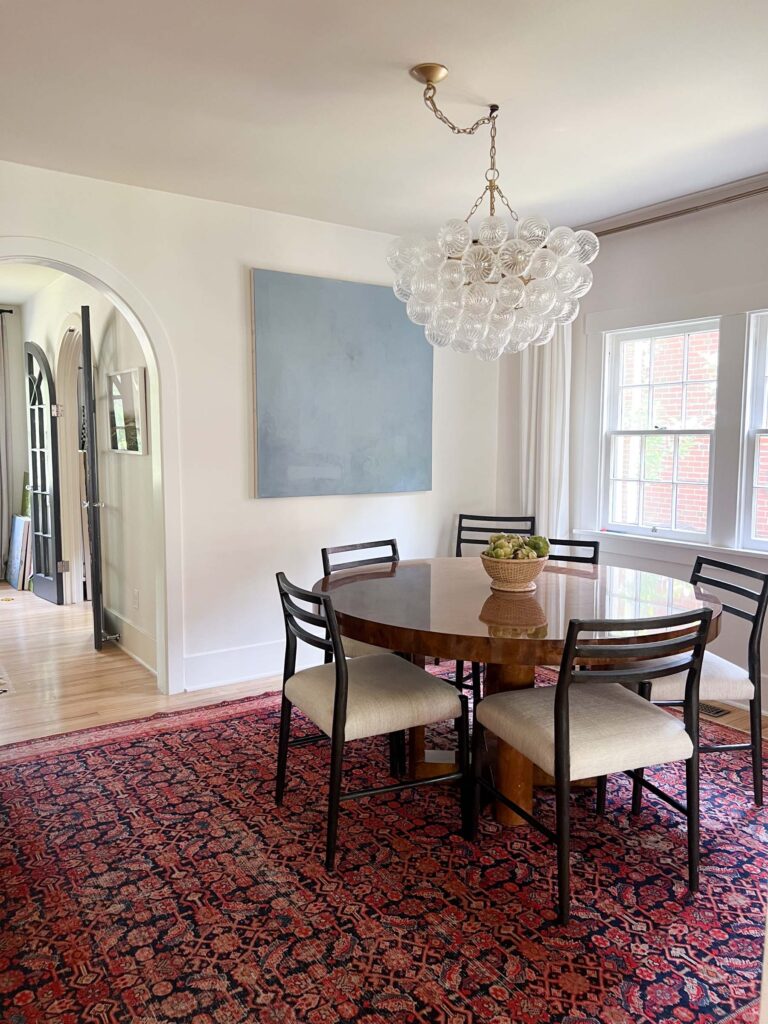
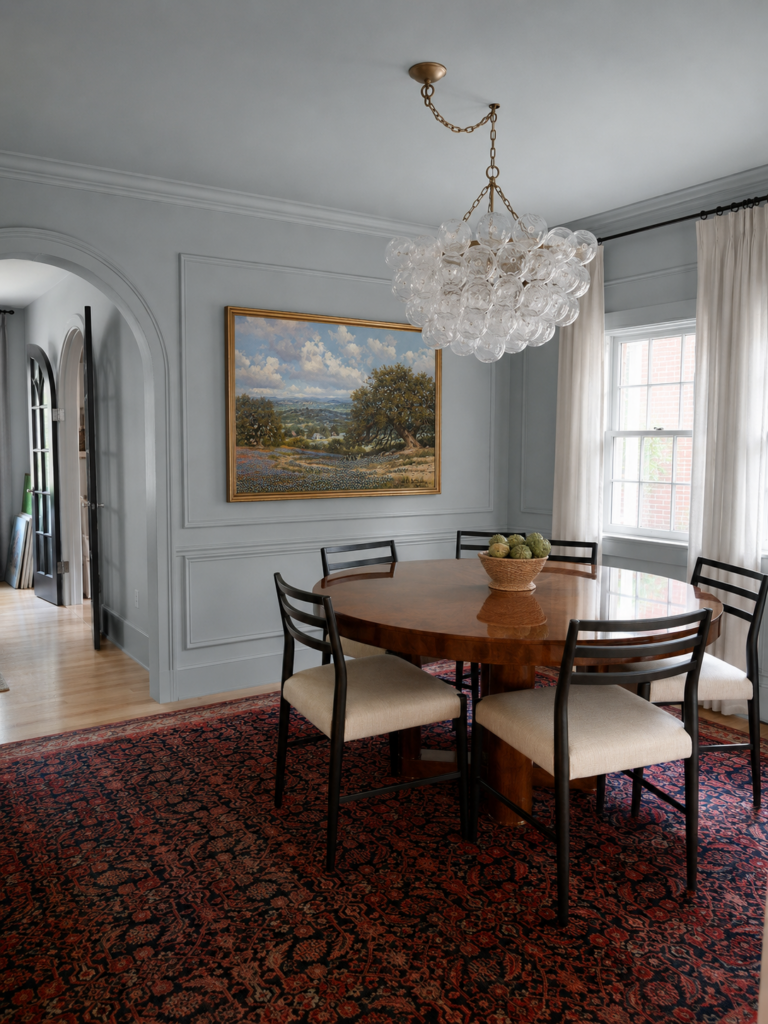
Once we got to a place that I really liked, I put in a few more images of this room and had it add the same color and picture frame molding as well as some blue plates around the mirror, and then I did it to the other corner too so I could get the full effect!
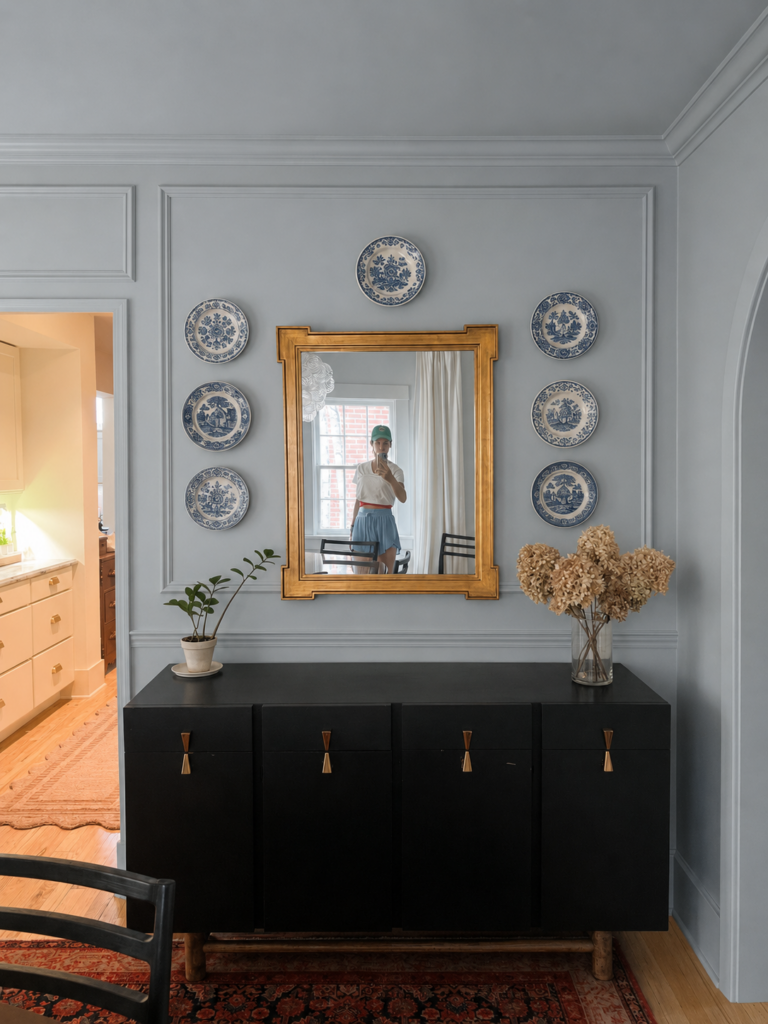
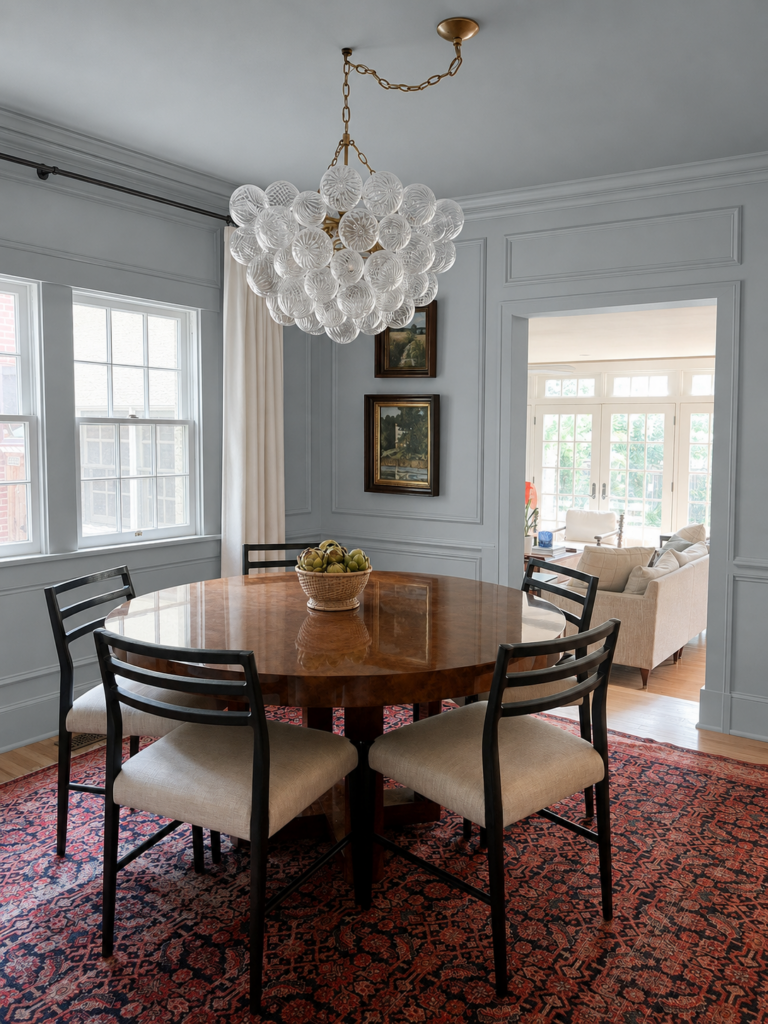
I have to admit I really love the blue with the picture frame molding. It really makes this room feel so cozy and special! Admittedly, I ended up putting this painting in my front room, at least for now, and hung a big blue abstract piece here, but I would still LOVE to do the picture frame molding eventually. Just deciding if that’s a project I can tackle or if I need assistance!
Tweak as Necessary
Sometimes Chat will take your prompt and completely mess it up. That’s okay, just start again fresh. I think the best thing you can do is start with a clear picture and idea of what you want to do. Also, you can see in my above images, it’s not perfect. The picture frame molding overlaps in some places, and the blue color got carried over into another room in the first image, but the whole goal was to simply get an idea of “would this actually look good?” and this really helped me!
Recently I was trying out the color “Setting Plaster” in my front room and I ended up not really loving it, so I thought, what would this look like with a warm grasscloth wallpaper? I haven’t decided on anything just yet, but I love this tool to get a better visualization of what a room might look like before I fully commit. I tend to be a bit impulsive sometimes and this is great for someone like me!
This room is my favorite, but also a bit challenging—it’s long and rectangular, has no wiring in the ceiling for a light and every wall has a different texture—gotta love old houses!
I’ve been playing around with paint and a more bold curtain to see if that would look cool in here or just feel like too much. This room also has a door or window on every wall.
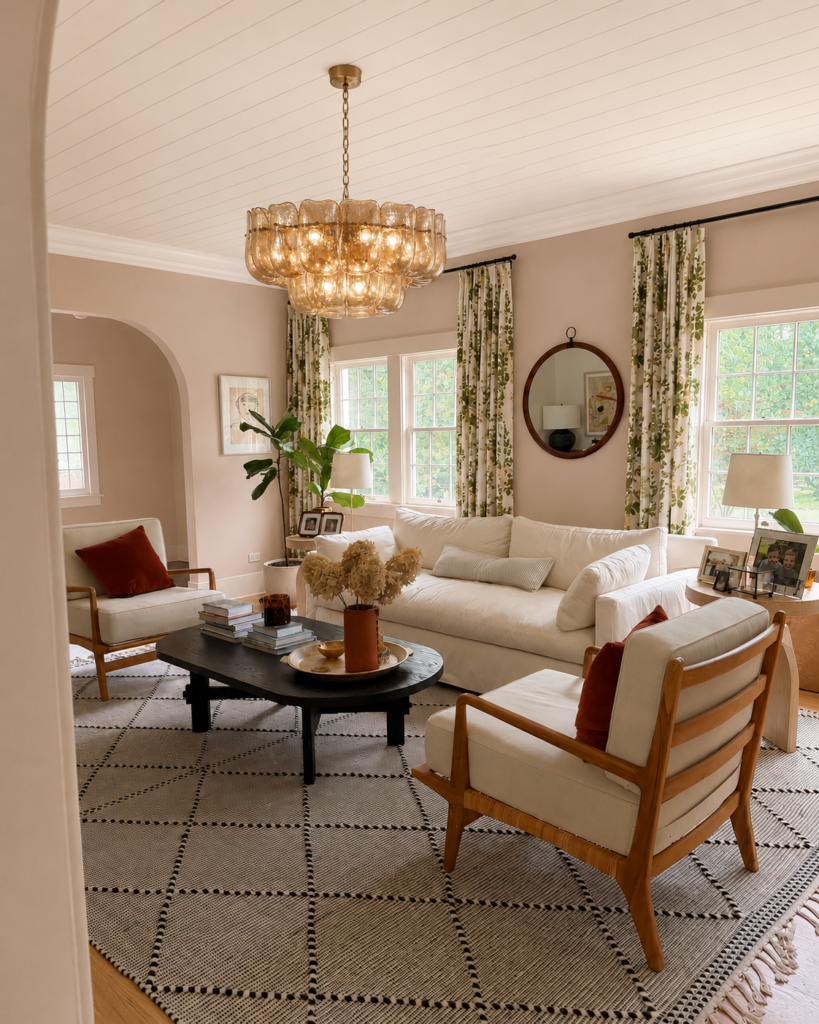
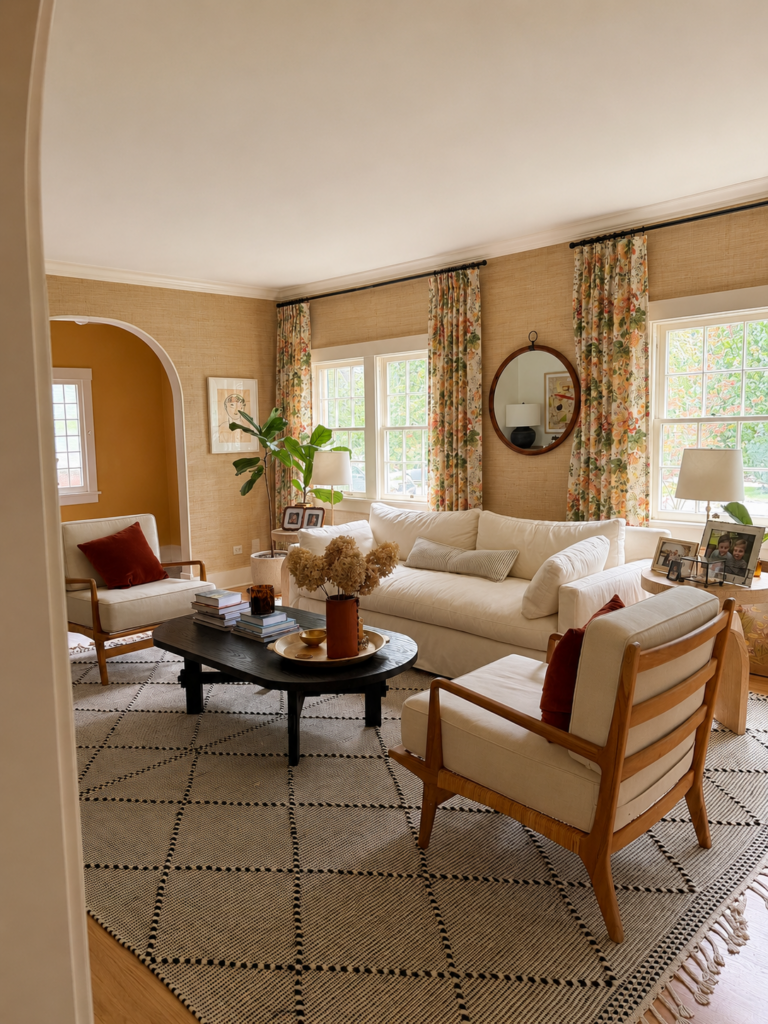
I hope this helps you visualize your own space whenever you’re thinking about making changes! It’s not perfect, but for any visual people like me, this helps SO much!


